
Best software
Best Field Service Management Software for Small Businesses
There is no universal winner, but there is a best fit for the business you run. Three questions narrow eight credible tools to a shortlist of two.
 11 min read
Search for the best field-service software and you'll meet a wall of near-identical lists, each with a different winner. Nobody is necessarily wrong. The honest answer is "it depends", and a list can't tell you what it depends on.
So this guide works the other way round. Field-service software brings a job from enquiry to payment: scheduling, CRM, quoting, invoicing, dispatch, job notes and, often, payments. For a business with five or fewer field workers, the real question isn't which product has the most features. It's which one handles your workflow without slowing you down.
We'll ask three questions about your business, and each one removes tools from the list. Along the way you'll meet eight products with active, publicly documented offerings: Jobber, Housecall Pro, ServiceM8, Tradify, Workiz, GorillaDesk, QuoteIQ and Workcase. By the end you should be down to two, with a reason for each.
Question one: how big is your team, and how will it change?
Start here, because team size decides how a product will charge you and what you need from it.
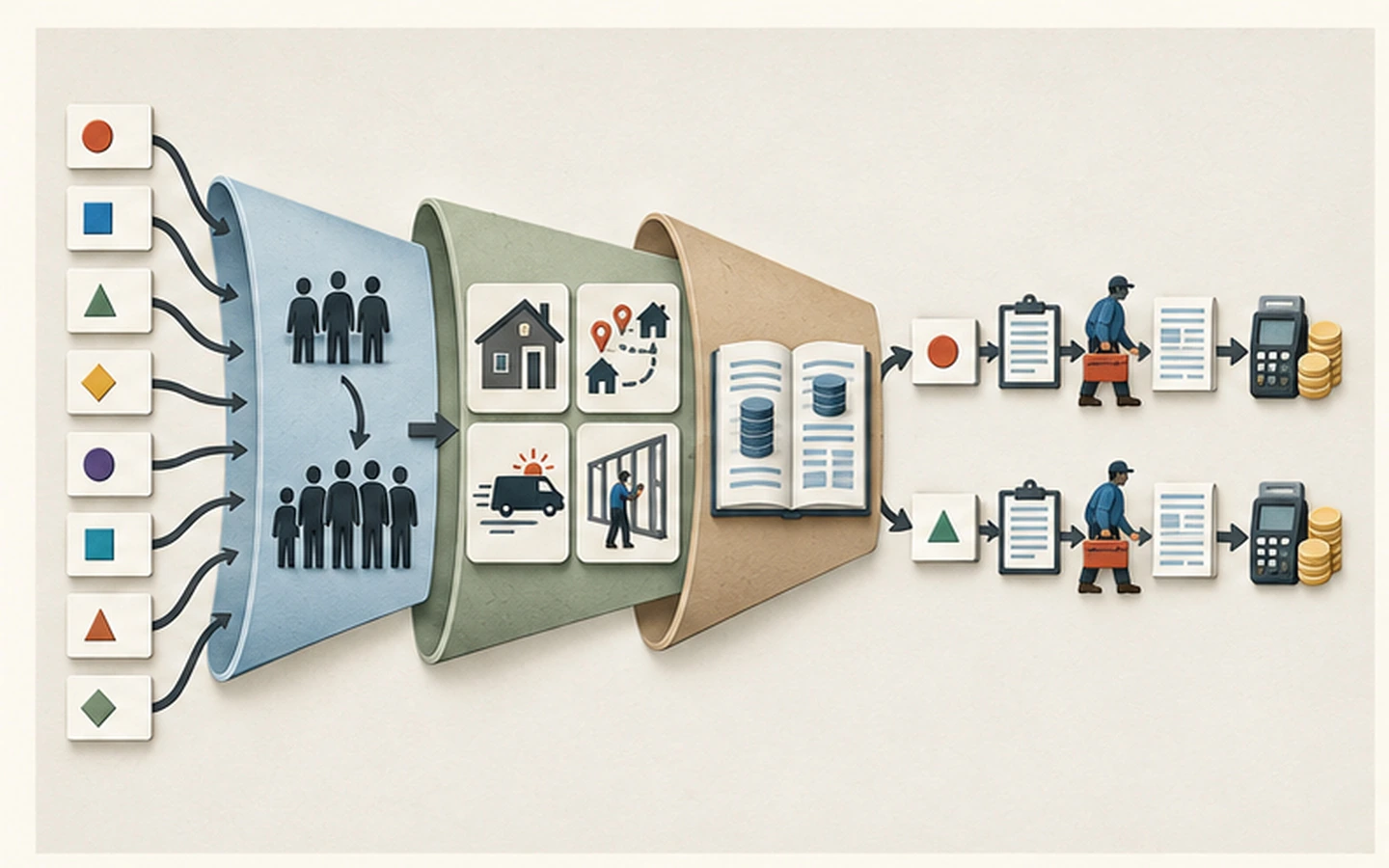
Just you. Keep your first trial narrow: one customer, one quoted job, completed on your phone with payment collected. A one-user plan that completes that loop is usually more useful than a bigger plan full of office features.
Two to ten people. Now test permissions, schedule hand-offs and the price at one, three and five users. Give an office user and a field user the same trial script. Only move up a plan when a workflow you need justifies it, not one you might want someday.
Write down two numbers before you go on: your team today, and your team in twelve months.
Question two: what shape is your work?
The second question is about how your work is organised, not which trade you're in.

- Varied jobs and call-outs (plumbers, electricians, general trades) need fast quoting, a clear schedule and quick payment.
- Recurring visits on a route (pest control, lawn care) need repeat scheduling, route planning and treatment records.
- Communication- and dispatch-led work (locksmiths, towing, appliance repair) needs fast calls, texts and dispatch.
- Bigger, multi-phase projects need project scheduling and job costing alongside routine service.
Say your answers in one sentence: "There will be three of us, we do varied trade call-outs, and I want quoting to be quick." That sentence is your filter. If a tool doesn't fit it, drop it, however good its reviews.
Question three: what will it really cost?
Now the money. The subscription is only part of it, because payment fees, extra users, add-ons and plan step-ups all add to the total. Here is what each tool publishes, so you can see how differently they present their prices:
Currency note. Converted prices are approximate USD estimates based on the European Central Bank reference rates for 25 September 2026, when 1 GBP ≈ $1.33. Original GBP prices are shown in brackets. Exchange rates and card-provider rates change, so check the vendor's current billing currency, tax or VAT treatment and checkout total before buying.
| Tool | What's published |
|---|---|
| Jobber | Core $29/month (1 user); Connect $99/month for 1 user or $149/month for 2–5 users, annual billing |
| Housecall Pro | Plans published; 14-day free trial, no credit card required, when checked |
| ServiceM8 (UK) | Free at $0 (£0) for 1 user and 30 jobs, then about $33 (£25) to about $356 (£269)/month; paid plans include unlimited users |
| Tradify (UK) | About $45 (£34) for Lite, about $49 (£37) for Pro or about $58 (£44) for Plus, per user per month |
| Workiz | Not publicly listed on the page reviewed; request a quote |
| GorillaDesk | Basic $49 (1 route), $149 (3 routes), $209 (5 routes) per month; free trial |
| QuoteIQ | Plans published; confirm trial on the current website |
| Workcase | From $25/month (Solo, 1 user) to $1,000/month (Operations, up to 50 users); custom Enterprise |
The currencies and units differ, so read this as a guide to how each one charges. Our cost guide shows how to turn these into a first-year total.
Meet the eight
Here is each tool by the kind of business it tends to suit, with the honest catch to know about.
The broad home-service platforms
Jobber covers scheduling, CRM, quoting, invoicing, job forms, online booking and payments, and markets to plumbers, HVAC companies, electricians, cleaners, landscapers and many other trades. Best for small and mid-sized service businesses wanting a general platform with booking, payments and client communication built in. Watch: features vary by plan, online payments may carry transaction fees, and the pricing shown here should be checked against the current plan and billing terms before buying. Check Jobber pricing
Housecall Pro covers scheduling, dispatch, estimates, invoicing, online booking, payments and customer communication for home-service businesses including plumbing, HVAC, electrical, pest control, appliance repair and cleaning. Best for small businesses that want a branded booking page, customer notifications and integrated payments. Watch: features vary by plan, larger teams should compare total cost against unlimited-user alternatives, and payment processing fees add to the subscription. Check Housecall Pro pricing
Built for the trades
ServiceM8 is a trade-focused platform covering scheduling, job cards, site notes, photos, forms, time recording, quotes, invoices and payments. Its UK paid plans include unlimited users. Best for trades with several field workers where an unlimited-user plan may lower the total after you account for job allowances. Watch: features and availability vary by country, so test the mobile app on your actual devices. Check ServiceM8 UK pricing
Tradify covers enquiries, quotes, scheduling, job tracking, timesheets, invoicing and payments, and is available in the UK, US, Australia and New Zealand. Best for small trade businesses where per-user pricing is manageable. Watch: the cost rises with each additional field worker, so compare it with unlimited-user options as you plan to grow. Check Tradify UK pricing
Communication and dispatch
Workiz combines scheduling, dispatch, job management, communication and invoicing, and markets to locksmiths, junk removal, appliance repair, towing and other field operations. Best for businesses that put communication and dispatch ahead of consumer-facing booking. Watch: Workiz also publishes offerings for HVAC, plumbing, electrical and other trades, so compare exact workflows, plan gates, offline mobile use and any compliance needs. Check Workiz pricing
Routes
GorillaDesk is purpose-built for pest control, lawn care and similar recurring-route businesses, with route optimisation, recurring billing, automated reminders and chemical-tracking forms. Best for businesses where route management and recurring billing are the core of the work. Watch: it is built for recurring routes, so general one-off trades may find other tools more flexible. Check GorillaDesk pricing
Quote-led and project-led
QuoteIQ presents itself as a home-service CRM with estimates, invoicing, scheduling and payments. Its pricing page lists job costing on Pro, and route optimisation and inventory on Elite. Best for businesses that want estimating, invoicing and scheduling in one system, with more advanced features on higher plans. Watch: scheduling and calendar tools are in Essentials, while route optimisation and inventory are in Elite, so confirm the plan you need. Check QuoteIQ pricing
Workcase (workcase.co) is a job and team management platform for field-service and construction businesses that handle complex multi-phase projects alongside routine service. It covers CRM, work orders, estimates, invoices, timesheets, inventory, assets, contracts and project scheduling. Best for small field-service or construction businesses that need project management and job costing alongside standard scheduling and invoicing. Watch: first-party evidence for native mobile apps is unclear, so verify the mobile experience on your actual devices, and confirm supported countries directly. Check Workcase pricing
Also worth checking
ServiceTitan and FieldEdge both serve plumbing and HVAC businesses. ServiceTitan positions its platform for commercial and residential contractors, and FieldEdge says it serves small-to-medium and mid-market operations. Neither published standard pricing on the pages we reviewed, so confirm fit, implementation scope and total cost directly. FieldRoutes is a pest-control-focused platform owned by ServiceTitan.
From eight to two
Use this simple path:
- Cross out any tool that doesn't fit the shape of your work (question two).
- Cross out any tool whose pricing unit and total don't suit your team today and in twelve months (questions one and three).
- Keep two. If more than two remain, keep the two whose "best for" sounds most like you.
We shortlist on audience fit, scheduling and dispatch, quoting and invoicing, mobile capability, offline use where relevant, pricing transparency, published trial availability, data portability and support. A product isn't included just because it's popular, or left out because it's less well known.
Your next step
Every recommendation here is conditional, so let a trial settle it. Run the same script in your two finalists, covering a real job from quote to payment, done on your phone. Pick the platform that gets through a full day of real jobs with the fewest interruptions. Our guide to choosing simple field-service software has a 14-day plan, and our Jobber alternatives guide goes deeper on five of these tools.
Sources
Product facts were checked on 3 September 2026 against official product pages, pricing pages and help documentation. Public prices and currency conversion were rechecked on 27 September 2026. Features, prices, exchange rates and trial terms change. Contact each provider for a current quote.