
Software Basics
Before and After Photos for Tradespeople: The Six Shots Worth Taking on Every Job
Your phone already holds the best evidence you have. Before and after photos for tradespeople: the six shots to take, how to name them, and where to keep them.
 12 min read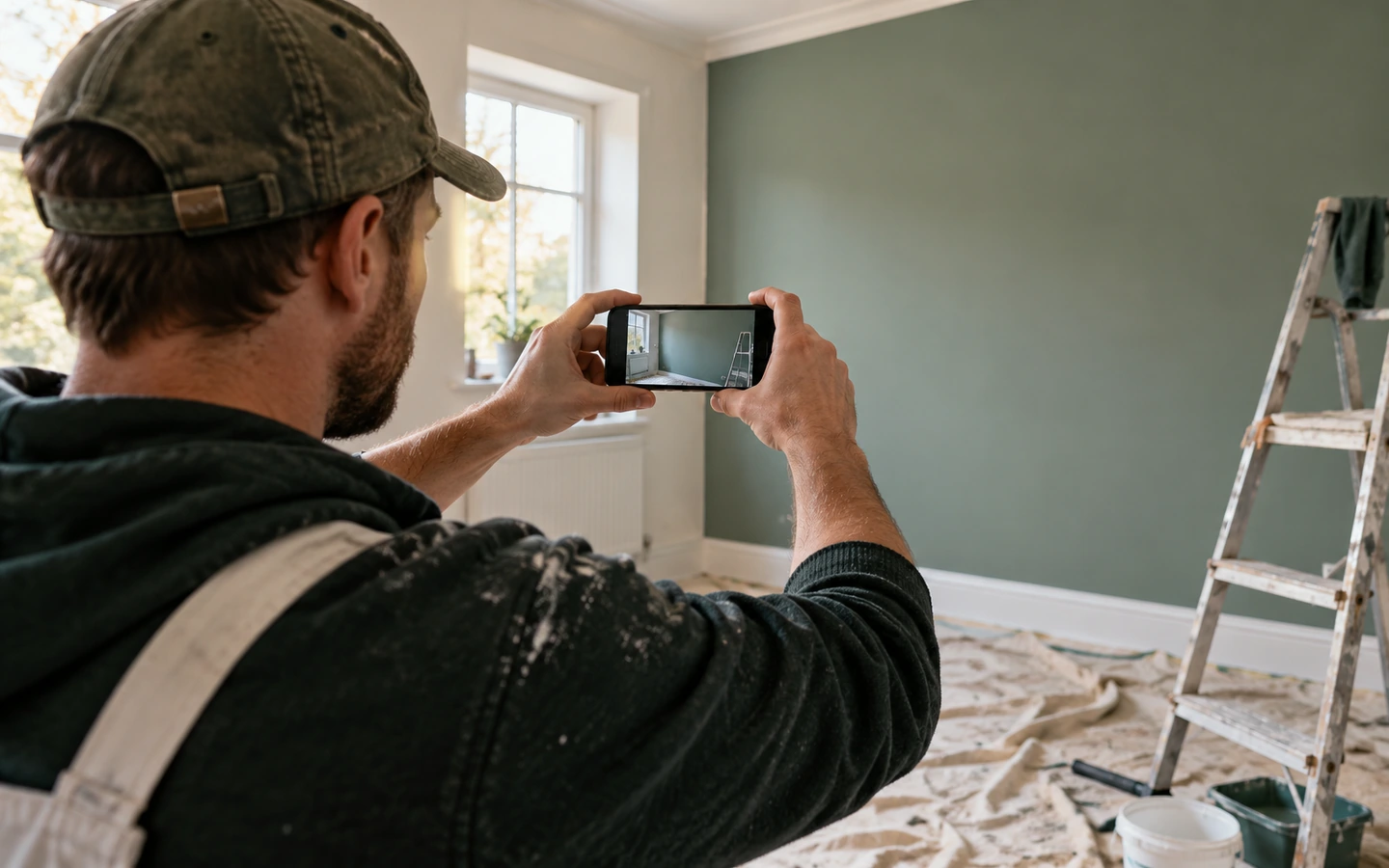
Before and after photos for tradespeople are the cheapest evidence you will ever collect, and most of us take them badly or lose them.
Scroll back through the photos on your phone. Somewhere between your holiday snaps and a screenshot of a parking ticket, you'll find pictures of the jobs you've done.
Some are useful. A close-up of a burned-out part. A wide shot of a finished bathroom. Most are random, taken in a hurry, with no clue about which customer or which date they belong to.
That is the quiet problem with photos in a trade business. Everyone takes them, and very few people use them. This guide is about before and after photos for tradespeople, but it goes beyond the obvious. You'll see the six shots worth taking on almost every job, a thirty-second walk-round that has saved many an argument, how to name and store your photos so you can find them in seconds, and a surprising use for a photo you take before you've touched a single tool.
Why a photo is worth more than a paragraph of notes
Words describe. Photos prove.
When you write "old pipework behind unit, corroded", the reader has to take your word for it. When you add a picture, the reader can see the green crust on the joint and decide for themselves.
That difference matters in three situations.
Disagreements. If a customer says something was already damaged, or that a fault was never mentioned, a dated photo is hard to argue with.
Explanations. Showing a customer a picture of what's behind the wall makes your recommendation easier to accept. They are looking at a fact rather than listening to a sales pitch.
Memory. A picture jogs your own memory months later, when you can't recall what a job looked like.
Photos work best alongside written notes, not instead of them. Our guide to job notes that protect you in a dispute shows how to pair them.
And they cost almost nothing. You already have a camera in your pocket. The only missing piece is a routine.
The thirty-second walk-round before you touch anything
Here's the habit that gives you the most for the least effort.
Before you open your toolbox, walk once around the area you're about to work in. Take a handful of photos. That's it.
You're not looking for anything dramatic. You're recording what the place looks like before you arrive in it.
Why does this matter? Because the moment you start work, you become the person responsible for the state of things. If there's a scratch on the floor, a crack in the tile or a stain on the ceiling, it will be assumed you caused it, unless you can show otherwise.
A walk-round photo set turns that around. If a customer later points to a mark on the worktop, you can look at your photos and say, "Here's how it looked when we arrived."
Most of the time, you won't need the photos. But the one time you do, they may save you a repair bill or a bad review.
Tell the customer what you're doing, in a friendly way: "I'm just taking a few photos of the area before I start, so we both have a record." Most people appreciate it. It signals care, not suspicion.
The six shots worth taking on almost every job
Rather than photographing everything, aim for six types of picture. They cover most situations without taking more than a couple of minutes.
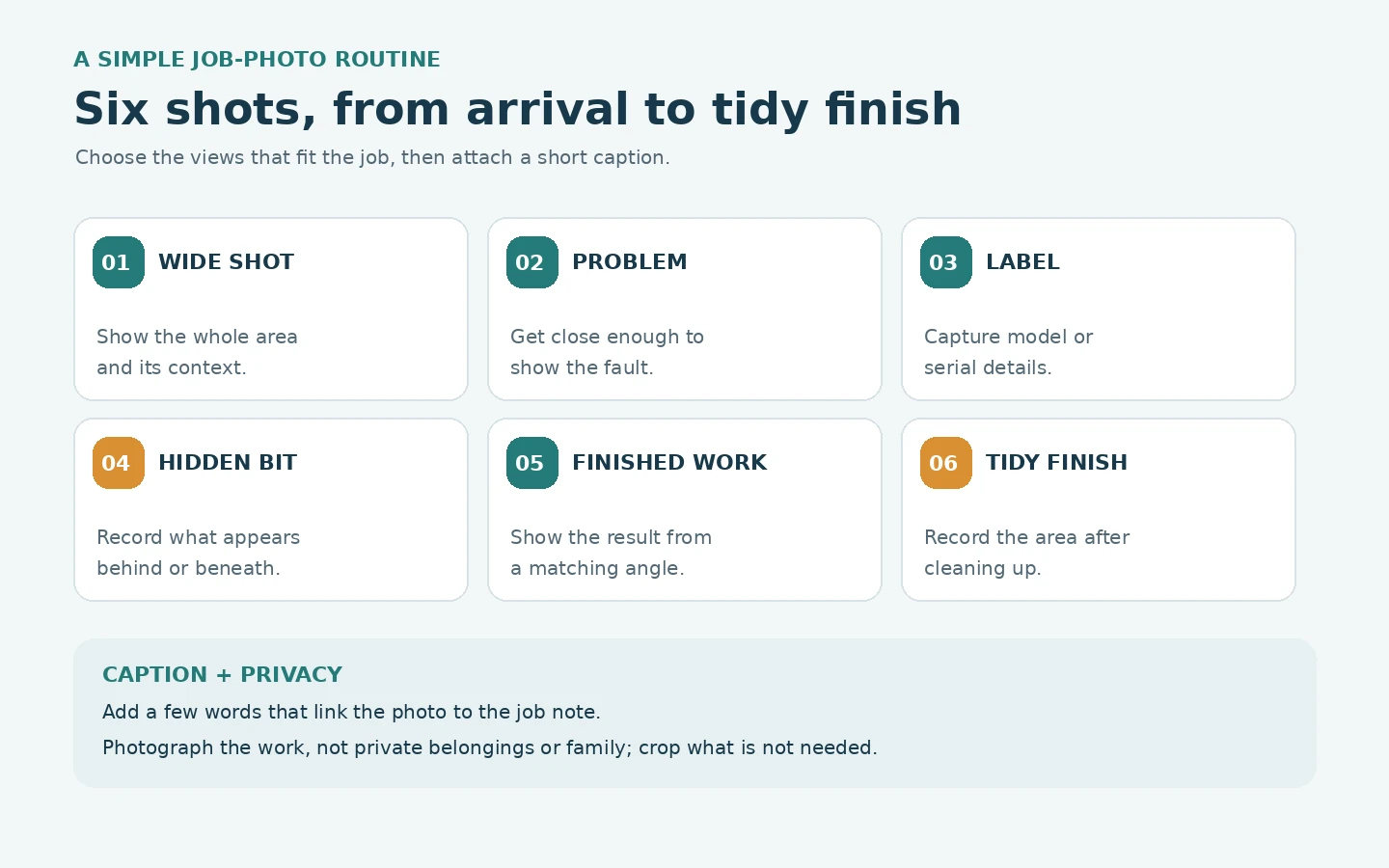
1. The wide shot. The whole area, from a step back, showing context. This tells the viewer where the work happened and what the space looked like.
2. The close-up of the problem. The faulty part, the leak, the crack. Get close enough to see detail, and include something for scale if it helps, like a coin or a tape measure.
3. The label or serial plate. Many appliances and fittings have a plate with model numbers and ratings. A quick photo saves you writing it down and helps if you need to order a part later.
4. The hidden bit. Anything you uncover that the customer wouldn't normally see: behind the unit, under the floor, inside the cupboard. This is the evidence for any variation. Our guide to handling job variations and extras shows why it matters.
5. The finished work. The result, from the same angle as your wide shot if possible. Before and after photos from matching positions show the change clearly.
6. The tidy finish. The area after you've cleaned up. This silently says, "We left it as we found it, or better."
Six photos. Thirty seconds each at most. Once you're in the habit, you'll hardly notice.
Some jobs need more, and some need fewer. A tap washer doesn't need six photos. A full bathroom does. Use judgment, but start with the six as your default.
The photo you take of someone else's work
Here's a surprising use for the before photo.
Many trade jobs involve working with, around or on top of someone else's earlier work. A new boiler connected to existing pipework. A socket fitted into an old circuit. A tiler working over a previous plumber's floor.
When something goes wrong later, it can be hard to tell whether the problem was yours or theirs. A customer may assume the most recent person to touch it is responsible.
A photo of the existing condition, taken before you start, is quietly powerful. It shows what was already there: the old joint, the previous repair, the unusual wiring.
It doesn't need to be an accusation. It's a record. "Existing pipework as found, before connection."
If you spot something that concerns you, say so and write it down. A photo plus a note, "Advised customer of corrosion on existing pipe; customer decided to proceed," protects you if the old pipe fails next year.
This habit also helps in a gentler way. It sharpens your own eye. When you're taking a before photo, you tend to notice things you might otherwise have missed, such as a loose bracket, a damp patch or a missing cover. Spotting these early lets you talk about them on your terms.
Name it, tag it, file it: the part that makes photos useful
A photo you can't find is a photo you don't have.
Most phones save pictures in date order, mixed with everything else. After a month, finding a specific job's images means scrolling endlessly.
There are three simple fixes.
Fix one: attach photos to the job. If you use job-management software, add pictures directly to the job record. Many tools let you do this from your phone. Features and plans differ, so test it on a real job and see how many taps it takes.
Fix two: use a naming pattern. If you save photos in folders instead, name the folder with the customer surname, street and date. "Smith Oak Road 2026-03-12". Put the six photos inside.
Fix three: add a caption. A few words make a big difference. "Corroded joint behind unit." "Finished tiling, north wall." When you look at the photo later, the caption tells you why you took it.
Whichever you choose, choose one and use it every time. A partial system that mixes methods is worse than a simple system used consistently.
And keep a backup. If your phone is lost, stolen or broken, your photo evidence goes with it unless it's stored elsewhere. Our guide to a paper backup plan for when software fails covers what to do.
Photographing with permission, privacy and a clear conscience
Because you're working in people's homes and businesses, photos raise a few questions about privacy and respect.
Tell the customer. A simple "I'll take a few photos for our records" is polite and avoids any suspicion.
Stick to the work. Photograph the area you're working on. Avoid capturing family photos, documents, screens or other personal items. If they appear in the background, crop or retake.
Be careful with faces and children. Don't include people in your work photos without good reason and their consent.
Think about security. A photo of a customer's alarm panel, keys or valuables could be a risk if it fell into the wrong hands. Don't capture sensitive details unless needed, and store photos securely.
Check the rules. Data protection and privacy rules vary by country and by the type of work. Check the official guidance where you operate, and ask your trade body or an adviser if you're unsure.
This doesn't need to be a burden. A little care, a friendly word and a focus on the work keep you on solid ground.
Turning your best photos into marketing, with permission
Once you have a habit of taking good photos, you've built something else: a gallery of your work.
Before and after photos are among the most persuasive things a trade business can show. They reveal your standards in a way no description can.
If you'd like to use photos on your website, social media or in quotes, a few simple steps keep you in good standing.
Ask first. Before using a photo of a customer's home, ask if you may. "Do you mind if I use the photos of your new bathroom on our website? I'll leave out your address." Most people say yes, especially if they're pleased with the result.
Remove identifying details. Crop out house numbers, personal items and anything that shows exactly where it is.
Choose well. Pick photos that are bright, sharp and show a clear change. Avoid blurry shots or messy backgrounds.
Tell a short story. A caption such as "Old, leaking bath replaced with a walk-in shower" helps viewers understand what was done.
Keep a record of permission. A text from the customer saying "Yes, that's fine" is enough for most small businesses. Check whether stricter rules apply where you work.
These photos also help in quotes. Showing a customer a picture of a similar job you've done makes it easier for them to picture the result.
Good photos on a bad day: shooting tips that actually matter
You don't need a professional camera. A few small tweaks improve most phone photos.
Clean the lens. A smudged lens is the most common cause of hazy pictures. Wipe it with your sleeve.
Use available light. Open curtains or switch on lights. If the area is dark, use the phone's torch or a work light, and take a second shot if the first looks flat.
Hold steady. Press your elbows to your body, or rest the phone on something.
Get close for detail, step back for context. Both are useful.
Keep the horizon straight. Wonky photos look careless. Most phones have a grid you can switch on.
Take two. If it matters, take a second photo. Deleting a spare is easier than going back.
Include a scale. A tape measure, ruler or coin shows how big something is.
None of this takes long, and the difference in quality is noticeable. Better photos help both as records and as evidence of your standards.
A quick routine for a team: making the habit stick
If you work alone, the habit is yours to build. If you have helpers, you need to teach it.
Teams tend to take photos inconsistently. One person takes a lot, another takes none, and when you need a picture, the one who took it is on holiday.
A few practices help.
Agree the six shots. Write them on a card or share them in a message. Everyone should know what's expected.
Show an example. Share a set of photos from a good job, so people see what "good" looks like.
Make it part of finishing. A job isn't finished until the photos are attached. Treat it like turning off the water.
Check occasionally. Look at a few jobs each week and mention what's good. Positive feedback works better than nagging.
Keep it easy. If it takes ten taps, people will skip it. Check that your system makes adding photos quick on the devices your team actually uses.
Our guide on training a new helper on your job app goes through how to introduce habits like this in your first week with someone new.
Seven photo mistakes that ruin good evidence
Taking photos is easy. Taking photos that actually help later takes a little more care. These are the mistakes that show up most often.
Taking them after the work only. A photo of the finished job proves very little without a before. Always start with the walk-round.
Standing too close. A tight shot of a fitting shows detail but not where it is. Take the wide shot first.
Shooting into the light. A window behind the subject turns everything dark. Turn around, or use the torch.
Forgetting scale. A crack could be a hair or a hand's width. Put a tape measure or a coin beside it.
Leaving them unlabelled. A photo with no caption and no job attached is a mystery in six months. Name it as you take it.
Deleting to free up space. Phone storage fills quickly. Move job photos into the job record or a backed-up folder before you clear anything.
Capturing too much. Pictures of the customer's post, family photos or screens create privacy problems you do not need. Crop or retake.
None of these is hard to fix. Pick the one you recognise most from your own camera roll and change that habit first. A single improvement, repeated on every job, quickly beats a perfect system that never gets used.
Photo questions that come up on almost every job
Do I need to photograph every job?
Not necessarily. For tiny jobs, one or two photos may be enough. For anything involving hidden work, variations or higher risk, take more. A sensible default is to take photos on every job and decide later what to keep.
How long should I keep photos?
It depends on your trade, the type of work and your country. Safety-related work may have specific record-keeping rules. Check the official guidance where you operate, and ask an adviser if you're unsure.
Is it okay to take photos in a customer's home?
Generally yes, with their knowledge. Tell them, stay on the work area and avoid personal items.
Can I use photos without asking?
It's best to ask. Even if a photo doesn't show a face or address, customers appreciate being asked.
Should I use my own phone or a company one?
Either works. What matters is that the photos end up stored safely and attached to the right job. If you use a personal phone, make sure you keep business and personal pictures from mixing.
Six photos on your next job
Photos are the cheapest and strongest evidence a tradesperson has. Take a thirty-second walk-round before you start. Capture six types of shot: wide, close-up, label, hidden, finished and tidy. Caption them, attach them to the job and back them up.
Be respectful about privacy, ask before using photos for marketing, and teach your team the same habit.
Your next step is tiny. On your next job, take the six photos. Afterwards, spend one minute attaching them to the job with a short caption. In a month you'll have a library you can search, instead of a camera roll you can't.