
Software comparison
Jobber vs GorillaDesk for Solo Operators and Small Teams
One is broad home-service software. The other is built around pest control and lawn care. The gap is narrower than you might expect, so here's how to decide.
 10 min read
Some software choices come down to a feature that one product has and the other lacks. This isn't one of those. Both Jobber and GorillaDesk now document recurring work, route optimisation and pest-control workflows, so a simple "specialist beats generalist" verdict doesn't hold up.
What does hold up is a difference in where each product starts. Jobber markets broad home-service software to trades including plumbing, HVAC, electrical, cleaning and landscaping. GorillaDesk is purpose-built for pest control, lawn care and recurring-route businesses. The useful question is which of those starting points is closer to how your week actually runs.
We'll begin with the short answer, then compare the two on the things that decide it: how each handles recurring work, routes, chemical and treatment records, and price at one, three and five people. Then we'll finish with a trial script that lets your own work settle the choice.
The short answer
If you want it before the detail:
- Choose Jobber if your work is a mix across trades or service types, and you want one broad platform where recurring visits are part of the picture.
- Choose GorillaDesk if your work is structured around recurring routes and scheduled treatments, and route management, recurring billing and treatment records are central.
If your business is pest control, our pest-control software guide shows where the wider field fits.
Two starting points, one Monday
Imagine the same Monday in each product. In Jobber, a customer messages about a one-off job, you quote it, they approve, and you schedule it. Jobber's official materials document scheduling, quoting, forms, invoicing, recurring jobs, automated payments, route optimisation and pest-control chemical tracking, and it has a dedicated pest-control offering.
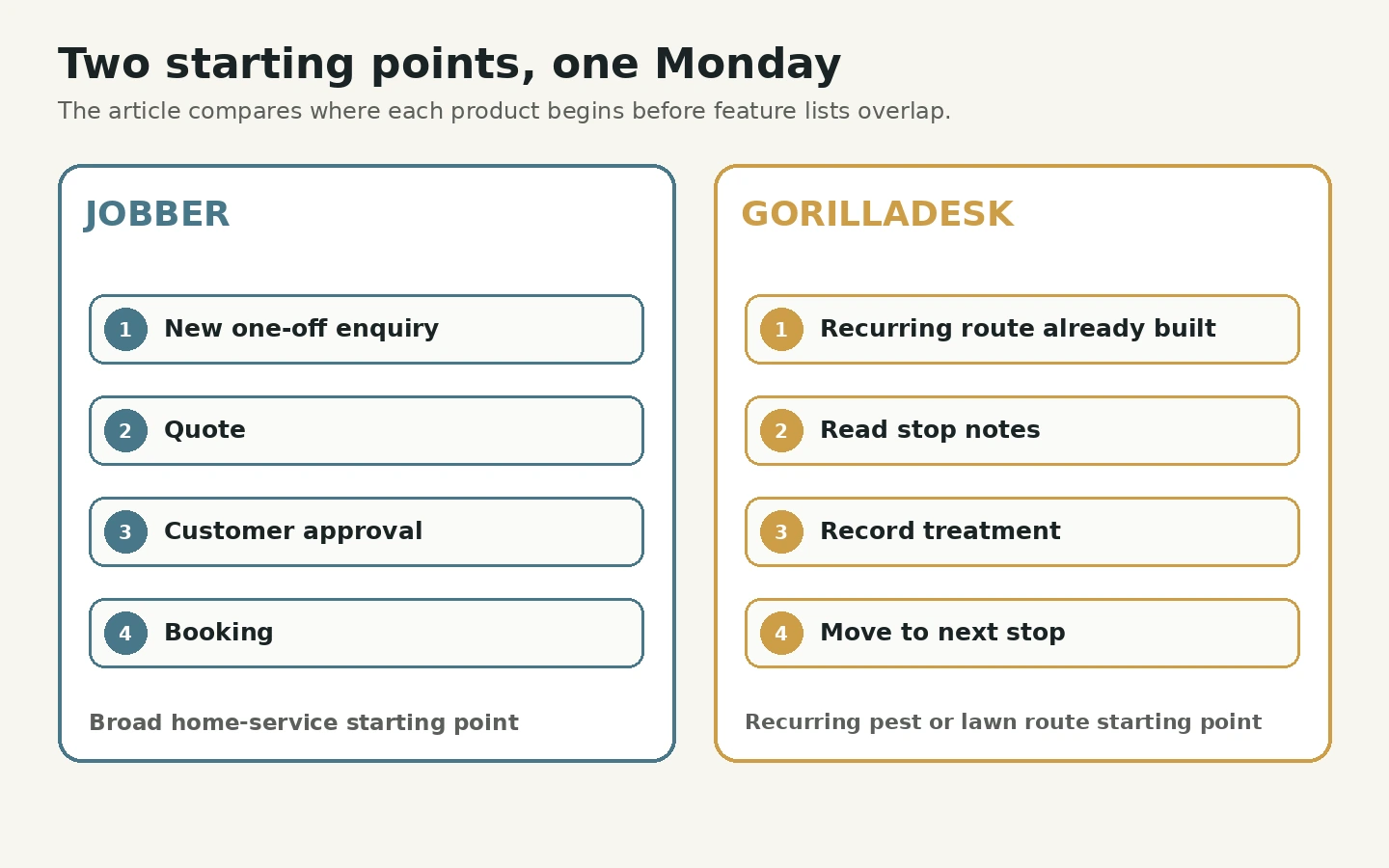
In GorillaDesk, your route is already built from recurring services. You work down it, read each stop's notes, record what you did and move on. Its official materials document route optimisation, subscription billing for recurring services, automated reminders and material tracking.
Neither picture is wrong. The question is which Monday you have more of.
The comparison at a glance
| Decision factor | Jobber | GorillaDesk |
|---|---|---|
| Core audience | Home-service businesses across many trades | Pest control, lawn care and recurring-route businesses |
| Published pricing model | Plans per month; free trial available | Plans per month; free trial available |
| Route optimisation | Documented by Jobber | Documented by GorillaDesk |
| Recurring billing | Recurring work and automated card charges documented | Subscription billing for recurring services documented |
| Chemical and treatment tracking | Documented by Jobber | Documented by GorillaDesk |
| Online booking | Built in | Built in |
| Client communication | Notifications, reminders, a client hub | Automated reminders and a customer portal |
| Mobile application | iOS and Android | iOS and Android |
| Integrations | QuickBooks, Zapier, payment processors and others | QuickBooks, Zapier, payment processors and others |
This table was built from official public pages checked on 3 September 2026. Feature availability varies by plan and country.
Where the real differences are
Because the feature lists overlap, the differences are in depth, so that's where to look.
Routes. GorillaDesk documents route optimisation and mobile route management. Jobber documents automatic route optimisation for individuals or teams, multi-day routing and re-optimisation after schedule changes. Test both with a representative route and compare the actual travel time against your current process, along with plan availability and the mobile workflow.
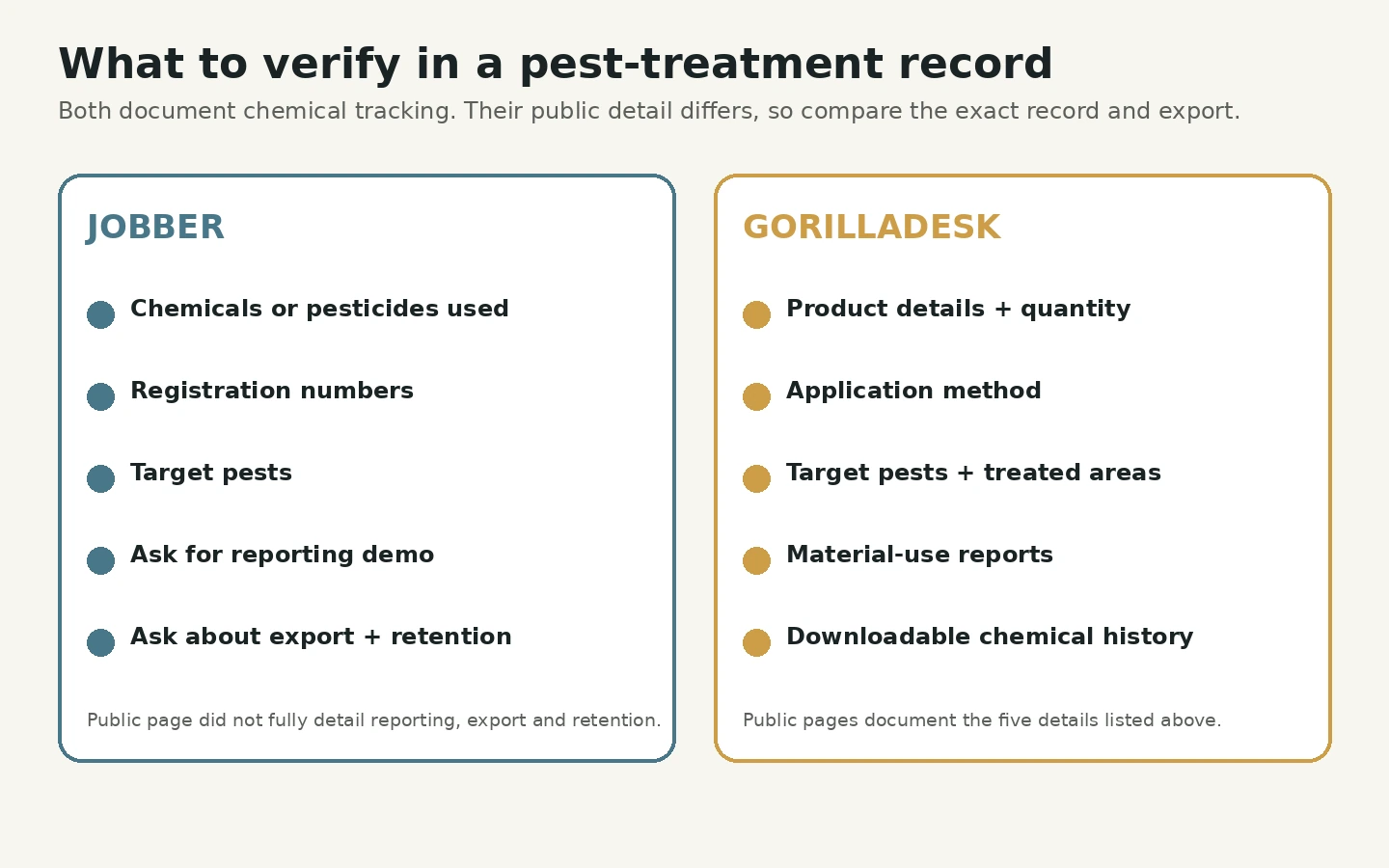
Chemical and treatment records. GorillaDesk documents chemical tracking for product details, quantity, application method, targeted pests and treated areas, along with material-use reports and downloadable chemical history. Jobber's pest-control page documents tracking for chemicals and pesticides used on a job, registration numbers and target pests. Its public page didn't fully detail reporting, export and retention, so ask Jobber to demonstrate those. And whichever you choose, verify that its fields and reports meet the rules where you work.
What they cost at one, three and five people
| Business size | Jobber | GorillaDesk Basic |
|---|---|---|
| 1 user | $29/month, Core, 1 user | $49/month, 1 route/schedule |
| 3 users | $149/month, Connect, 2–5-user band | $149/month, 3 routes/schedules |
| 5 users | $149/month, Connect, 2–5-user band | $209/month, 5 routes/schedules |
Jobber's prices are USD on an annual-billing basis. The figures here were checked against Jobber's official pricing information and first-party plan guidance on 27 September 2026. GorillaDesk's figures are USD monthly prices from its live selector on 27 September 2026. GorillaDesk charges by route or schedule and allows unlimited admin users and mobile devices, so a route isn't the same as an ordinary user account.
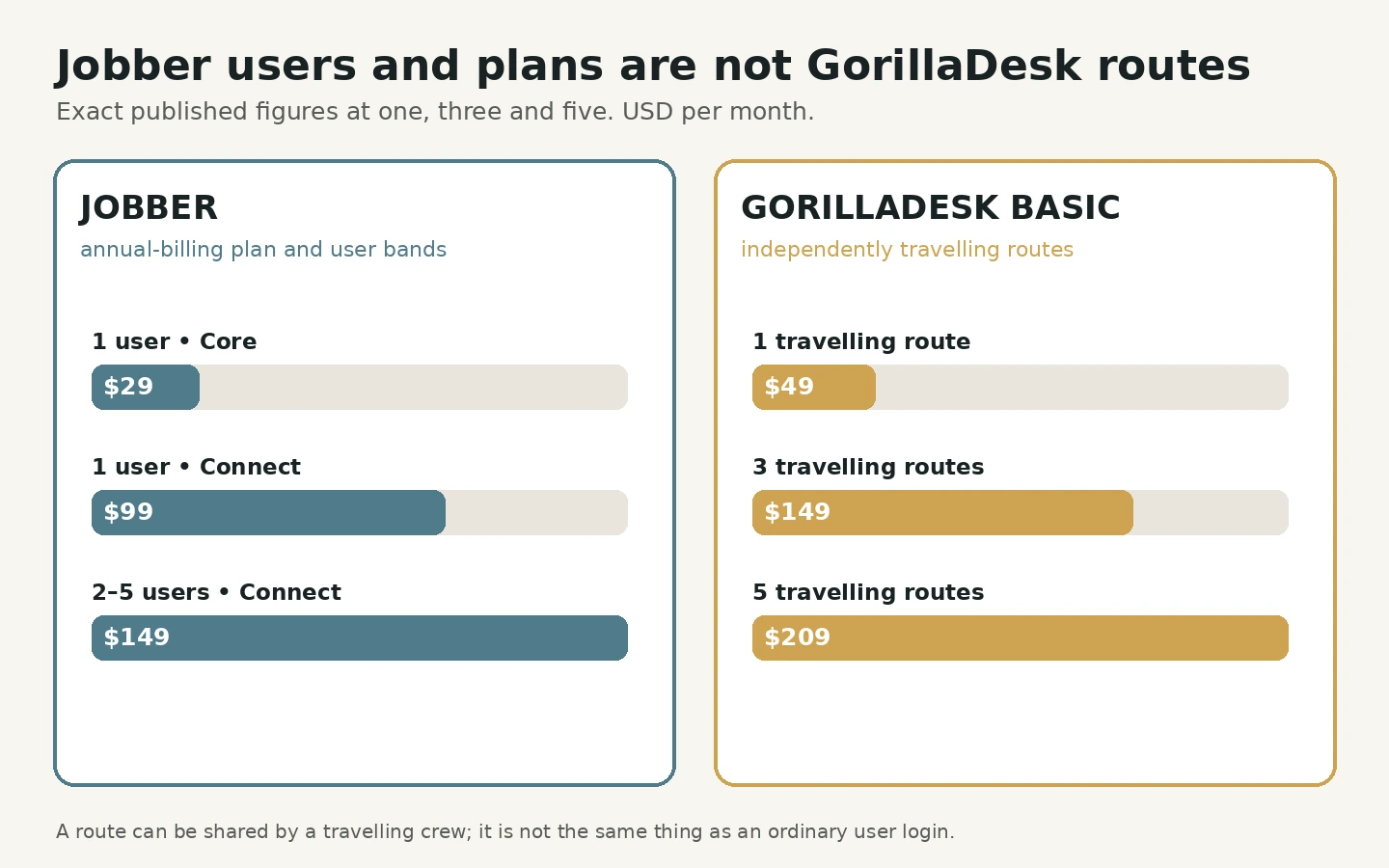
What that means in practice:
- One-person general service business: Jobber Core has the lower published entry price.
- One-person pest or lawn route: GorillaDesk may justify its higher entry price if its route, treatment and recurring-service tools replace separate work.
- Three to five independently travelling technicians: Jobber has the lower published base-plan total in this snapshot, while GorillaDesk's specialist workflow may still justify the difference.
Recheck the billing selector and the plan that includes the features you need before buying, and calculate the first-year total including add-ons, payment fees, migration and training. Our cost guide shows how.
Who should choose which?
Jobber suits you if:
- you want one home-service platform across several trades or service types
- its scheduling, CRM, quoting and invoicing workflow fits your operation
- its route optimisation performs well on your representative routes
- its chemical-tracking fields and reporting meet your treatment-record requirements
GorillaDesk suits you if:
- your work is structured around recurring routes with scheduled treatments
- route optimisation would save meaningful technician time each day
- chemical tracking or treatment records are operationally important
- you want a platform built for pest control or lawn care rather than adapted from general home services
How to decide
A comparison table only tells you what to test. The trial tells you what to buy. Run the same script in both:
- Create a recurring customer plan with a three-month schedule.
- Assign one route day.
- Record a treatment with product, quantity and notes.
- Add a one-off service call and reschedule it.
- Issue an invoice and record a payment.
- Export customer and job data.
Pick whichever gets your real work done with fewer headaches and fewer missed steps. If you'd like a longer schedule, our 14-day trial plan fits both.
Sources
Product facts were checked on 3 September 2026 against official product and pricing pages. Jobber and GorillaDesk prices were rechecked on 27 September 2026, with the Jobber limitation described above. Feature availability varies by plan and country.