
Plumbing software
Best Plumbing Software for Small Businesses and Independent Contractors
Plumbing is reactive, mobile and often urgent. Follow one plumber's day to see what software should do at each moment, and which tools fit which kind of plumbing business.
 11 min read
At 7:40 the phone rings. A customer has a burst pipe under the kitchen sink and water is already on the floor. You're across town finishing a boiler service. Over the next few hours you'll need to pick up that job, quote it, do the work, collect payment and, if all goes well, remember to send the invoice.
That is plumbing: emergency call-outs, quoted installations, scheduled maintenance, parts and compliance paperwork, often in the same week. It's also why not every plumbing business needs the same software. A one-person operation doing mostly reactive repairs has very different needs from a growing company running service agreements and multi-crew jobs.
This guide follows that day, moment by moment, and asks what software should do at each one. Then it looks at six products that fit plumbing work, split into broader platforms and plumbing-focused ones, so you can see where each fits. We've kept to what each provider says publicly, and where something is unclear we say so.
7:40 am: the emergency call
The first job is capture. You need the customer's details, address and problem saved before you drive off, and the job on your schedule so you can see how it fits the day. If adding a job takes more than a minute, you won't do it, and the system will fall out of date. For a solo plumber, test this before anything else.
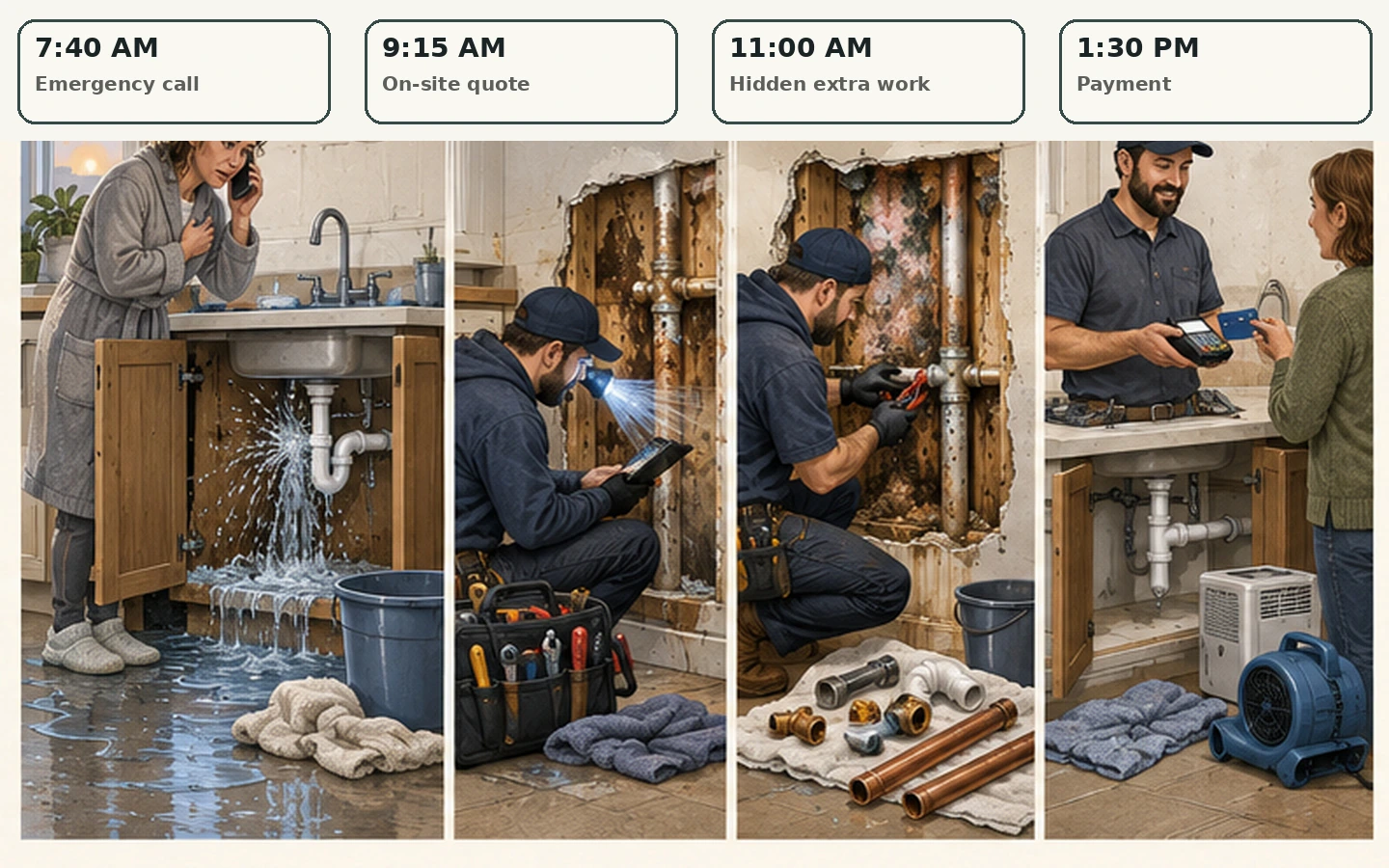
9:15 am: the quote on the doorstep
Plumbing quotes often happen on site, with the customer watching. Speed and clarity win the job. If you use flat-rate pricing, the product should make it faster, not slower, and the ability to offer options (repair or replace) helps. Test it with a real job, not a demo.
11:00 am: the job changes
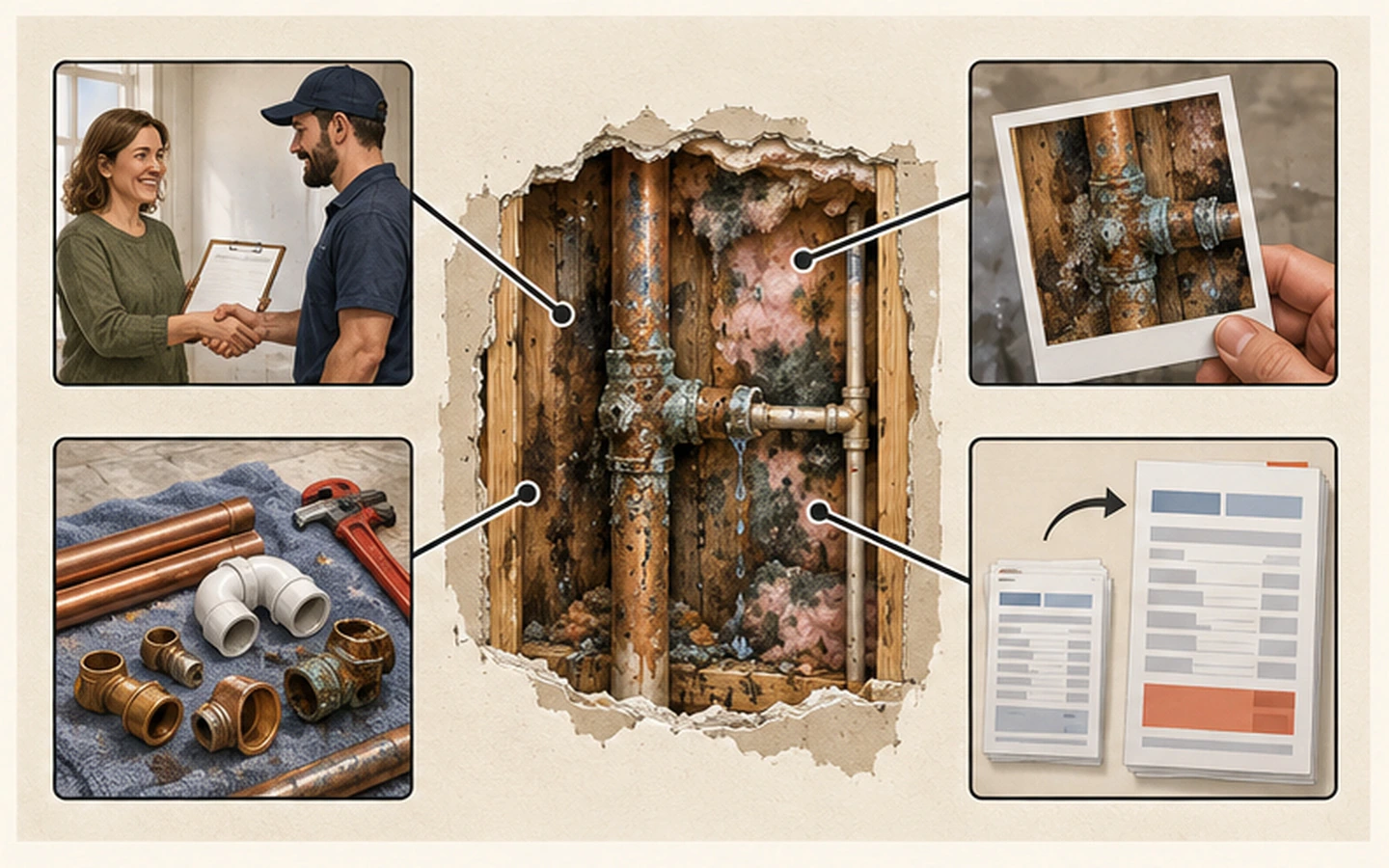
Every plumber knows this moment: you open the wall and it's worse than expected. The price needs to change and the customer needs to agree. You want notes, photos and materials attached to the right job, so that if there's a dispute months later, the evidence is there. This is what the field-side mobile experience is for. The plumber in the van needs to create a note, attach a photo, record materials and send an invoice without going back to the office.
1:30 pm: getting paid
This decides whether your cash flow is comfortable. An invoice that leaves the van with a way to pay is paid faster than one sent on Sunday night. Watch the processing fees, which sit on top of the subscription and grow with your turnover.
The question that picks your tool
Where does your day go wrong most often? If jobs pile up and you lose track, prioritise scheduling. If quotes are slow, prioritise quoting and options. If you get paid late, look at invoicing and payments. If you have several plumbers and can't see who is where, look at dispatch and shared schedules. For a small team, also check price-book upkeep and the hand-off from office to van, and compare the required plan at one, three and five users before accepting a headline starting price.

Broad platforms that serve plumbers
These are broader platforms rather than plumbing-only tools. Jobber and Housecall Pro explicitly market to plumbing businesses, and ServiceM8 is built for trades in general.
Jobber supports scheduling, CRM, quoting, invoicing, job forms and client communication. Its quoting and invoicing handle common plumbing work, including recurring maintenance, and online booking lets customers request emergency or planned jobs. Jobber documents quote markups, product and service line items, materials tracking and job costing. Its public pages don't clearly describe a dedicated plumbing flat-rate catalogue or a permit-template library, so confirm those workflows and their plan availability directly. It's a candidate if you also do other service work and want one general platform. Check Jobber pricing
Housecall Pro adds dispatch and a branded consumer booking page. Its estimate-to-job workflow suits plumbing call-outs, and its plumbing page documents flat-rate pricing from a price book, good-better-best proposals and membership plans alongside booking, customer notifications and integrated payments. Confirm the plan you need and whether its supplier or parts integrations match your setup. Check Housecall Pro pricing
ServiceM8 is a trade-focused platform with unlimited-user UK plans, covering scheduling, job cards, site notes, photos, forms and invoicing. Unlimited users on paid UK plans can simplify seat-cost planning for a plumbing business with several field staff, and job forms can capture plumbing-specific data. It documents preset labour rates, standard parts, job-specific items and Bundles of labour and materials. Confirm that these match your flat-rate workflow and whether any supplier catalogue integration you need is available in your region. Check ServiceM8 UK pricing
Plumbing-focused platforms
ServiceTitan serves commercial and residential plumbing contractors, with proposals, job costing, CRM, reporting, service agreements, pricing tools and a client portal. Pricing isn't publicly listed. Whether it fits a small plumbing operation depends on the modules you need, the implementation effort and the quoted total cost, so ask for a demonstration and a written quote first. Visit ServiceTitan
FieldEdge is focused on plumbing, HVAC and electrical contractors, with dispatch, flat-rate pricing, service agreements, mobile forms and QuickBooks integration. It's worth a look if you're moving off paper or a basic system and want something more structured with flat-rate pricing built in. The downside is that pricing is custom-quoted, which makes comparing hard, so get a number before you sit through a full demonstration. Visit FieldEdge
QuoteIQ is a home-service CRM with estimates, invoicing, scheduling and payments in its Essentials plan, and plan-gated extras such as job costing on Pro and route optimisation and inventory on Elite. Plans are published. Test its plumbing workflow, customer self-service and total plan cost with representative jobs. Check QuoteIQ pricing
Which one for which plumber?
- The independent plumber: you need fast quotes, clear job notes, photos, invoices and payment from your phone. Test those steps first, before considering deeper dispatch or call-centre features. Jobber, ServiceM8 and QuoteIQ are the natural comparisons.
- The small crew (two to five): check shared scheduling, permissions, price-book upkeep and the hand-off from office to van. Jobber, Housecall Pro and ServiceM8 are worth pricing at your real team size.
- The growing service business: structure matters more. FieldEdge and ServiceTitan are built for it, but only consider quote-based systems when their extra structure solves a problem you can actually measure.
Testing like a plumber
Whatever you shortlist, test it on your worst morning:
- Start with one real emergency call. Map what happens from the phone ringing to final payment, and see where information is rewritten or lost.
- Test quoting and parts. If flat-rate pricing matters, try it on an actual job. If parts pricing matters, check the integrations.
- Check mobile use. Create a note, attach a photo, record materials and send an invoice without returning to the office.
- Calculate the total cost. Include subscription, per-user charges, add-ons, payment fees and implementation. The platform that fits may cost less than the cheapest one.
- Run a trial with real jobs. The winner completes representative plumbing work with fewer missed steps, not more features.
Our cost guide helps with step four, and the 14-day trial plan gives you a schedule for step five.
Sources
All facts were checked on 3 September 2026 against official product and pricing pages. Where pricing is not publicly listed, this guide says so. Contact each provider for a current quote.