
Electrical software
How do you choose job management software for a small electrical business?
Test handoffs, mobile use, compliance paperwork, real cost and migration before choosing a system.
 16 min read
It is 4:47 on Friday. The last service visit is finished, but the information needed to finish the job is spread across three places.
The electrician has sent two photos in a message. The materials are scribbled on the back of a supplier receipt.
The customer has asked for the completion paperwork and invoice. Someone still needs to work out whether the extra hour on site was included in the estimate.
The work is done. The job is still open.
That gap is where small electrical businesses lose evenings. It also explains why many software trials feel impressive for twenty minutes and disappointing by the end of the week.
You see a clean calendar, drag a colored box onto Tuesday and think the business is becoming organized. Then Friday arrives and you are still chasing the same missing details.
You may already be asking the sensible questions. Will the team actually use it? Should compliance paperwork live in the same system?
Is electrician-specific software better than a general job-management app? What will it cost when you add the rest of the team? Can you move without losing years of customer and job records?
Those questions become easier once you stop judging software by how neatly it books a job.
Most trials begin at the wrong end of the job
A typical trial starts at the beginning of the workflow. You add a customer, make an estimate, create an appointment and admire the schedule.
Those steps are usually straightforward in the products you are likely to shortlist. A polished demonstration makes them look even easier because the sample account contains orderly customer records, complete addresses and jobs that follow the expected path.
Your week is less cooperative.
A customer changes the scope after approving the estimate. A worker uses materials that were not listed. A second visit becomes necessary.
A photo is saved to the wrong conversation. The completion paperwork is waiting in another app, while the person preparing the invoice was not on site and cannot tell which details are final.
If you trial only the front of the job, you test the part least likely to reveal a costly difference. You also miss the point where your own process usually breaks.
Choose the software by the quality of the handoff at the end of the job.
A schedule tells someone where to go. A useful handoff tells the next person what happened, what changed, what must be sent, what can be invoiced and what requires another visit. Without that handoff, the new app becomes another place to check.
Think about the last job that took too long to invoice. The delay may have started when the estimated job became a diagnostic visit, or when the customer approved extra work verbally.
The worker might have recorded time but missed the materials. The completion document might have been created but never linked to the customer record. Each gap creates a question later, and every question sends someone back through messages, photos, notebooks or memory.
Software helps when it reduces those return journeys. If the team must update the schedule, fill in a job form, upload photos, complete separate paperwork and then message the office to explain the variation, the information still has no reliable route. You have made the fragments digital without joining them.
For a business with one to ten workers, the distance between field and office may be one person, a partner handling administration or a small office team. The person who did not attend the job should still be able to take the next correct action without asking the person who did.
That is a better test than asking whether the app is easy to use. Adding a customer may be effortless while closing a changed job is awkward. You need to test the second task.
Draw one job from first call to final record
Before you open another product website, take one completed job and draw its actual route through your business.
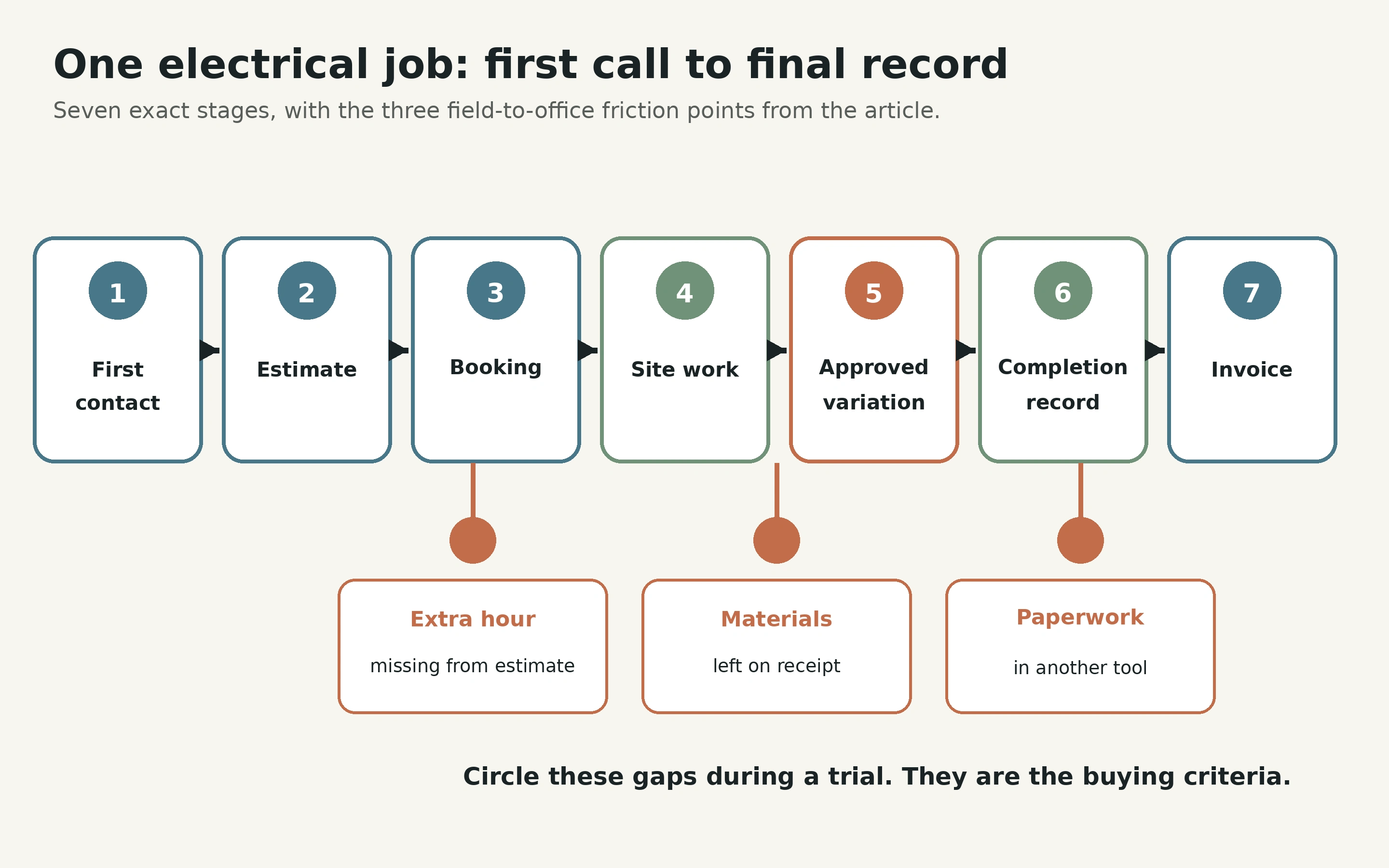
Start with the first customer contact. Write down where the name, address and problem were recorded. Follow the job through any initial visit, estimate, acceptance, booking, work, variation, completion document, invoice, payment and follow-up.
Use paper if that is quicker. Put each action in a box and draw an arrow to the next one. Above each arrow, write how the information moved.
It might be a phone call, a message, an email, a paper form, an accounting entry or somebody remembering to mention it.
Do not improve the process while you draw it. Record what happened, including the awkward parts.
Circle every place where someone copied information by hand, asked a repeated question, waited for an answer or searched in more than one place. Those circles are your buying criteria. A feature matters only if it removes one of them without creating a worse problem elsewhere.
The job from Friday would have at least three circles: the extra hour missing from the estimate, the materials on the receipt and the completion paperwork in a separate tool. The calendar is not the problem. The route from site to invoice is.
This map also begins to answer whether you need electrician-specific software. If the difficult parts are scheduling, estimating, job notes and invoicing, a general trade platform may cover them. If your work depends on a particular compliance, asset-history or test-results process, you need to see exactly how that record is created, stored and returned to the job.
The category printed on the product's home page matters less than the route your information must take.
Choose three jobs that expose different failures
One orderly job is not enough for a trial. Choose three recent jobs that behaved differently.
The first should be a quick service visit. It tests whether you can capture a new customer, assign the work, record what happened and reach an invoice without turning a small job into a form-filling exercise.
The second should be an estimated job with materials and at least one change. It tests whether the original scope, customer approval, variation, labor and materials remain understandable when the invoice is prepared.
The extra hour from Friday belongs here. Enter it as the worker would, then see whether the office can tell why it should be charged.
The third should be a job that creates a continuing responsibility. That might mean a return visit, a remedial item, compliance paperwork, an asset record, a recurring check or a promise to send something later. It tests whether the system remembers what happens after the worker leaves.
Use jobs you know well enough to spot a false success. Imaginary work tends to fit the software because you unconsciously remove the exceptions. A real job forces the system to deal with your terminology, changes and handoffs.
Protect customer information during early trials. Recreate the shape of each job with test names, altered addresses and non-sensitive documents until you have checked that the provider is suitable for real data and reviewed the relevant privacy and access settings.
Do not ask which product feels nicest yet. Ask which one lets all three jobs reach a clean finish with the fewest side channels.
Build the smallest record that can close a job
Now define what “finished” means in your business.
A small electrical job may need only a clear description of the work, time, materials, photos and an instruction to invoice. Another job may need approval for a variation, completion paperwork, test information, a record of remedial work or a date for the next action.
Write the smallest set of information the office needs before it can close each test job. Keep it short enough that a worker can complete it beside the vehicle, rather than reconstructing the visit later from memory.
A useful closing record answers a few plain questions. What was done? What changed from the estimate?
What time and materials should be charged? Which photos or documents belong to this job? Is it complete, waiting for something or returning?
What should happen next?
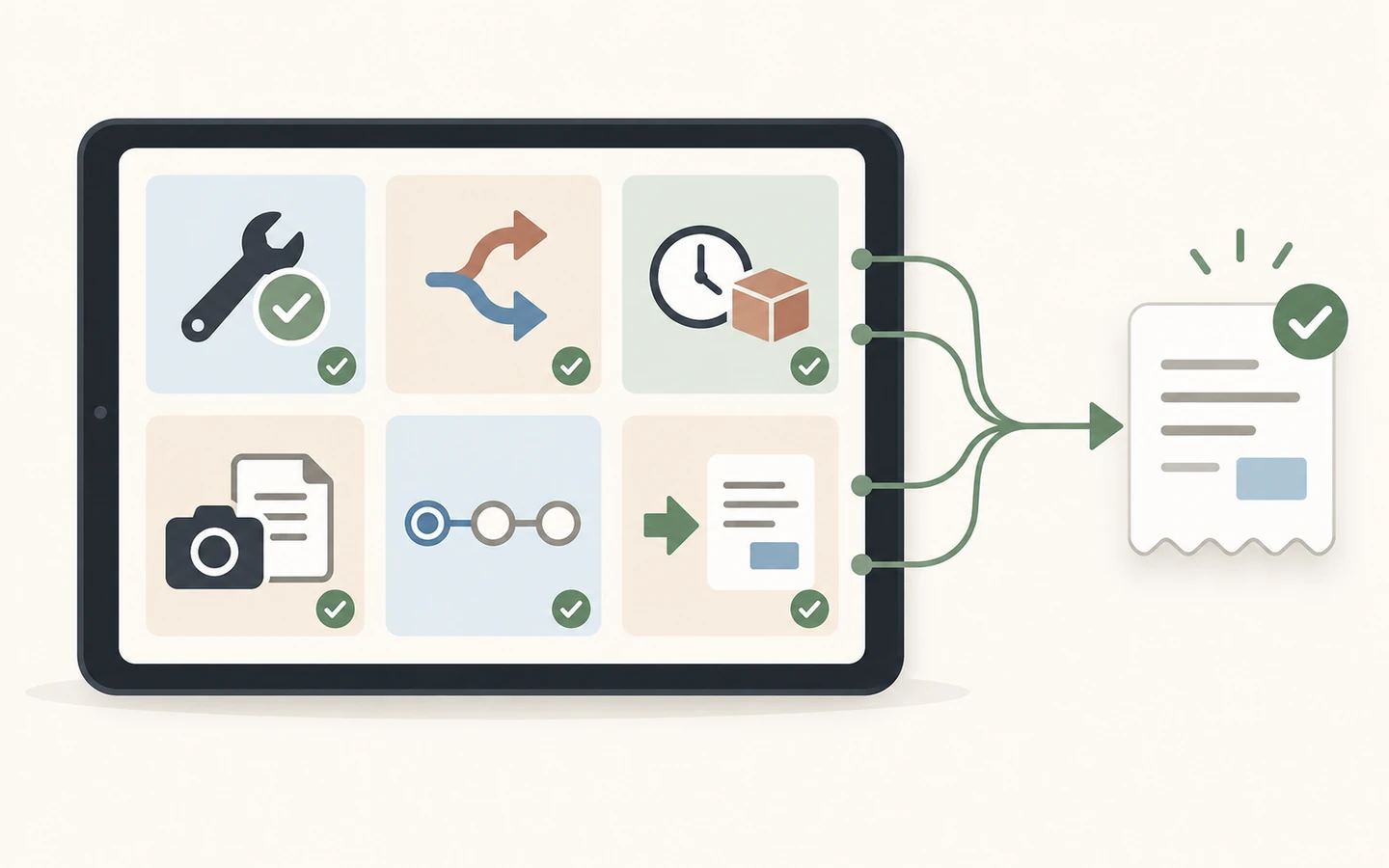
The exact fields are yours. What matters is that “complete” becomes a defined state instead of a button someone presses because they want the job off the screen.
For the Friday job, the closing record should connect the extra hour to its reason, record the materials from the receipt and identify the completion document waiting to be sent. The office should not have to infer any of that from a photograph or a message thread.
Check whether the software can prompt for and clearly present this information at the right moment. A long custom form is not automatically better.
If every job demands twenty answers and half are irrelevant, people will tap through it. The smallest reliable record beats the most comprehensive form nobody trusts.
This also closes part of the paperwork question. Do not begin with “Does it produce the compliance document?” Begin with “How does the correct completion document become attached to the correct customer and job, and how does the next person know it is ready?”
The document may be produced inside the job system, through a connected specialist tool or in a separate process. Any arrangement can work if the route is reliable. Problems begin when somebody must remember to match the records later.
Run the test on the phones people carry
A desktop demonstration tells you how the office might use the system. Your handoff depends on what happens on site.
Put the trial on the actual phones or tablets the team would carry. Use the smallest screen in the group, rather than the newest device. Check the login process, text size, photo upload, job notes and the steps needed to mark work ready for the office.
Stand somewhere inconvenient while you test it. You do not need to pretend you are on a construction site, but do not sit at a desk with the product website open beside you. Try to complete the closing record with one hand, ordinary mobile reception and a realistic interruption.
If poor signal is common in your work, verify what the provider says about offline or interrupted use. Then test that behavior without risking a real record. Having a mobile app tells you little about what happens when a photo upload stalls or a form is partly complete.
Give one test job to the person most likely to resist the change. Do not coach every tap. Watch where they hesitate, what they cannot find and what they choose to skip.
Their resistance may be useful evidence. The screen could be unclear, your closing record could ask for information nobody uses, or the worker might not understand why a detail matters. Software cannot solve the last problem by hiding it behind a mandatory field.
Ask them to explain the handoff in their own words: “When I finish, I do this, then the office can do that.” If they cannot describe it simply, the process is not ready.
You now have a practical answer to whether the team will use the app. Their behavior on a real device is better evidence than agreement during a sales call.
Make the office finish without asking for clues
Once the field test is complete, give the account to whoever normally prepares the invoice or customer documents.
Do not let the worker explain what happened. The record must speak for itself.
Ask the office user to confirm the completed scope, identify any variation, find the relevant time and materials, locate the photos and documents, see whether another visit is required and prepare the next customer communication. They should write down every question they would have needed to ask.
Those questions are your most valuable trial result. A missing product feature is visible, while a weak handoff can look acceptable until somebody tries to act on it.
This test exposes ambiguous statuses, notes buried in the wrong tab, photos without context and forms that cannot be found from the invoice screen. It also shows whether Friday's extra hour reaches the invoice as an understandable variation or arrives as a mystery that must be investigated.
Run the same test in each shortlisted system. Do not change the job to flatter the product. If one system needs a sensible configuration change, make it and test again.
If it needs a chain of workarounds, record every one.
The stronger system makes the correct next action obvious and leaves fewer decisions dependent on memory. By this point, you should also know whether a general platform can handle your compliance workflow or whether a specialist product has earned its place.
Put a price on the gaps as well as the subscription
Published prices often use different units. One provider may charge per user, another by plan, another by job allowance or another measure. The entry figure tells you little until you apply your real team and workflow.
Build your own first-year total using the plan you actually need. Include every person who requires access, the billing commitment, payment or messaging costs, paid add-ons, setup help, document tools, accounting connections and any hardware you would buy.
Then price the gaps you found in the trial.
Use your own records rather than inventing an hourly rate for frustration. For one working week, note how often somebody chases a job detail, copies data between systems, corrects an invoice or returns to a job record because something was missing. Record the time in the same rough way for each product.
Friday's extra hour creates a small chain of work. The office notices that time and estimate do not agree, messages the worker, waits for a reply, checks whether the customer approved the change and edits the invoice. If the closing record captures the reason and approval on site, that chain disappears.
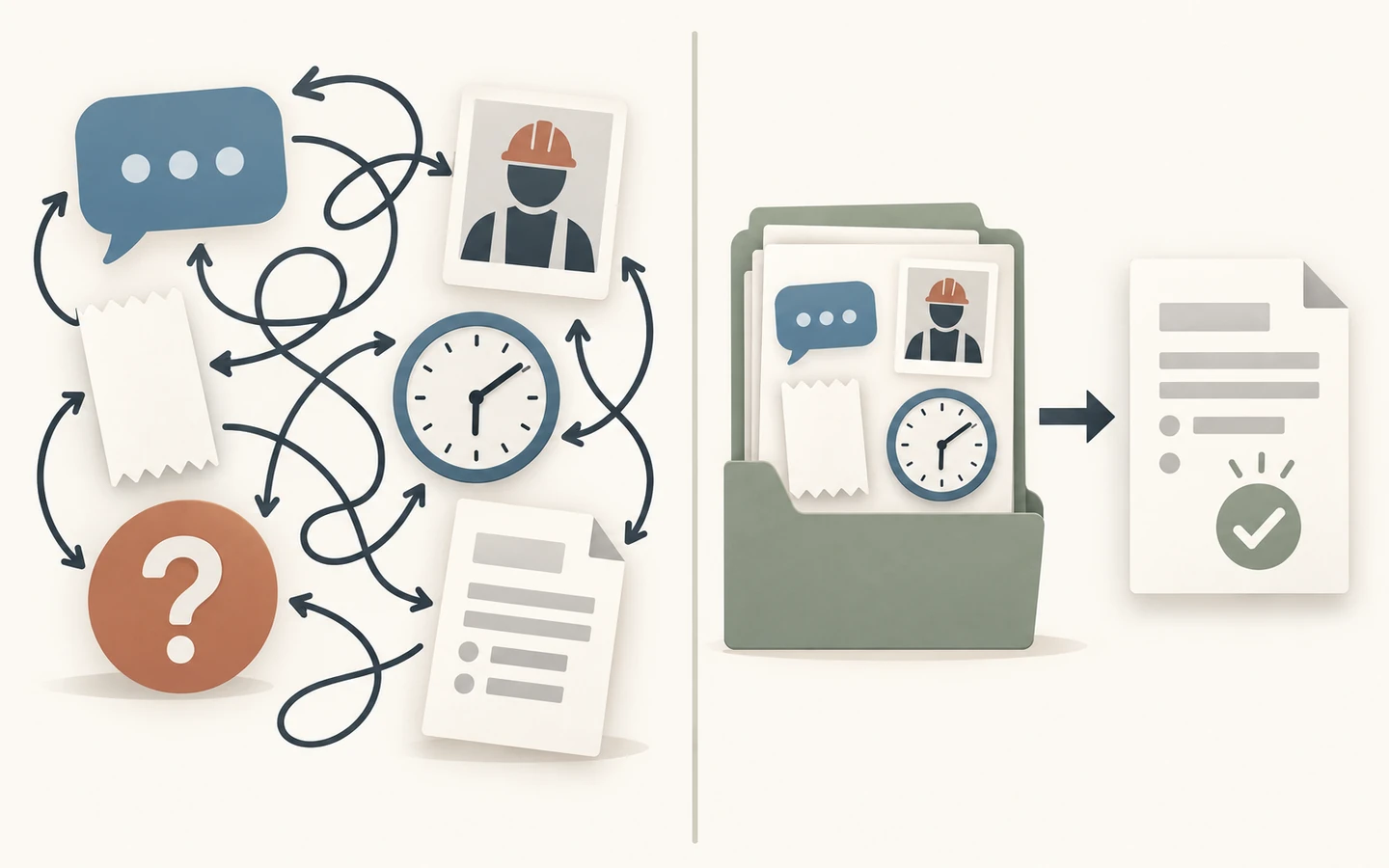
Compare the cost of reaching a closed job, not the cost of opening an account.
A cheaper subscription can be costly if it preserves those gaps. A higher price can also be wasteful if its additional features remove none of the circles on your job map.
For a growing team, repeat the calculation at the headcount you genuinely expect to reach. Check the provider's current pricing page for your number of users, jobs, routes or locations. Do not assume today's plan expands at the same price.
Decide what must connect and what can stay separate
One system for everything sounds simple. It is useful only if the connected parts are suitable and information moves correctly between them.
Replacing a dependable accounting or compliance process merely to reduce the number of apps can introduce more risk than it removes. For each existing tool, decide whether the job system must replace it, connect to it or point clearly to its output.
Accounting usually needs clean customer, invoice, tax and payment information rather than every site note. Completion paperwork may be produced in a specialist tool but linked clearly to the job. Supplier receipts may stay in an accounting process while their chargeable materials are recorded against the work.
Name one source of truth for each kind of information. Where is the final customer address? Where is the approved estimate?
Where is the completion document? Where is payment status? If two systems can both be edited, decide which one wins when they disagree.
Test each important connection with a sample record from start to finish. An integration logo does not confirm which fields move, when they move or what happens when something changes later.
Keep a separate system when it performs a critical task well and the handoff is reliable. Combine systems when duplication or uncertainty is causing the delay.
Move only the records you still need
Fear of losing old records can keep a business in unsuitable software. Trying to import every historical detail before anyone has proved the new workflow creates a different problem.
Separate the records you need to operate now from those you need to retain or consult.
Current customers, open estimates, active jobs, outstanding invoices and continuing service obligations may need to enter the new process. Older completed jobs may be safer in a searchable, read-only export, subject to the retention duties that apply to your business and location.
Ask each provider how data can be imported and exported, which fields are supported, how documents are handled and what you receive if you leave. Test a small sample before committing to a full move.
Open the exported file yourself. A general promise about data export is less useful than seeing whether customer names, addresses, job notes and document references remain understandable outside the system.
Plan a cutover point. New work enters the new system after that point. Existing open work is either moved deliberately or completed where it started.
Avoid a long period in which every job might be in either place.
Migration tests whether the business knows where to look on Monday morning.
Know when software will make the week worse
Do not adopt a new system merely because the current one looks untidy.
If you are a solo operator with a small number of jobs, prompt invoicing and a filing method you can reliably search, a larger platform may add administration without removing a real delay. Your job map should reveal a problem worth solving before you buy software.
Pause if nobody can agree what “job complete” means. The app will not settle a disagreement about who records variations, who checks documents or who tells the office that a return visit is needed. Decide the responsibility first.
Pause if the trial works only with the owner doing every step. A process for a ten-person business cannot depend on one person repairing every record.
Walk away if a critical workflow cannot be tested, the total price remains unclear, the mobile experience fails on the team's devices or you cannot get a usable answer about exporting your data. A long feature list does not compensate for uncertainty where your business carries the risk.
Avoid changing systems during a period when nobody can learn it properly. Choose a week with enough real work to test the process and enough space to correct mistakes. Keep the old records available until the new route has proved itself.
Return to the job that was still open at 4:47 on Friday. In the system worth keeping, the extra hour has a reason, the materials are attached to the work, the completion document is ready and the office knows what to do without sending another message.
The work is done, and this time the job is closed.
For a named-product shortlist by work type, see our electrician software comparisons. If you want a broader category overview or need to calculate the total cost, start with our field-service software guide and field-service cost breakdown. Compare vendors directly at their official pages for Jobber, Housecall Pro and Tradify.